A quick and easy way to submit without an accountant the quarterly updates to HMRC for Making Tax Digital (MTD) for Income Tax for Sole Traders and Landlords using your own spreadsheet

AB3K9X
If you are a Sole Trader and/or a Landlord who wants to submit, without an accountant, the quarterly updates to HMRC for Making Tax Digital (MTD) for Income Tax and you are using your own spreadsheet for income and expenses, here is an easy a quick way to do it.
First of all, a quick background:
- To submit quarterly updates to HMRC, you are not legally required to use an accountant, but you do need to use a HMRC-Recognised software like MTD 4 Income Tax.
- If you have more than one business as Sole Trader, for example you are a plumber as well as a driving instructor, you need to send a separate submission for each business.
- If you are a Landlord, you need send all your properties in one single submission.
- If your total income from self-employment or from UK property is less than the VAT registration threshold (currently £90,000) you can choose not to categorise your expenses and sum them all together in one single box, called consolidated expenses.
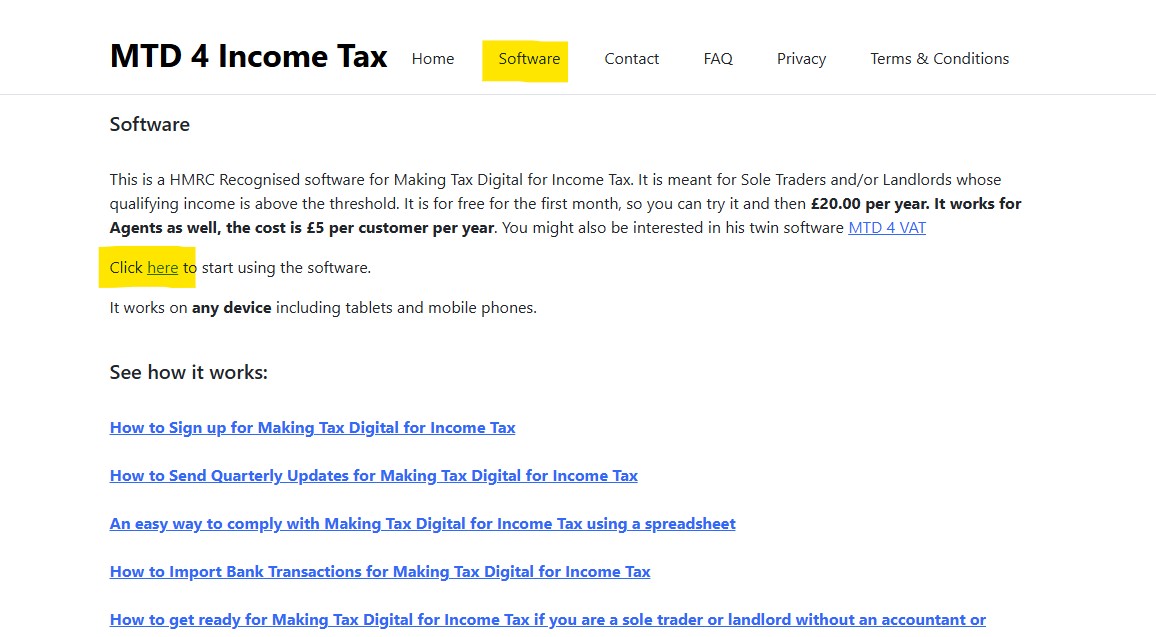
Go to the Software Page and click to the 'here' link:
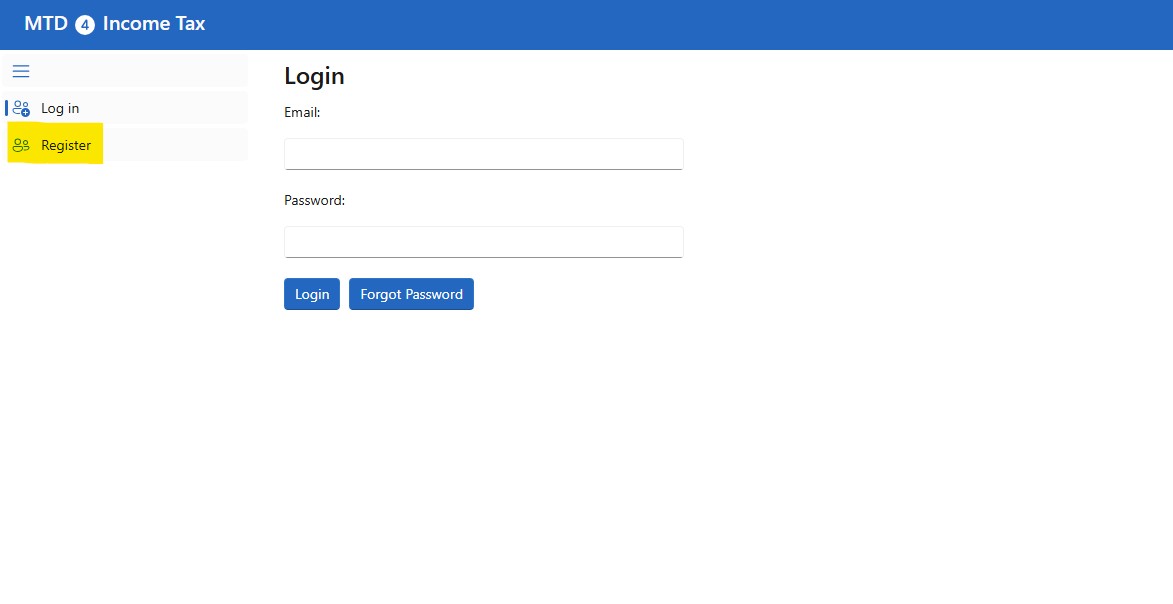
This will open the software, click on the Register link:
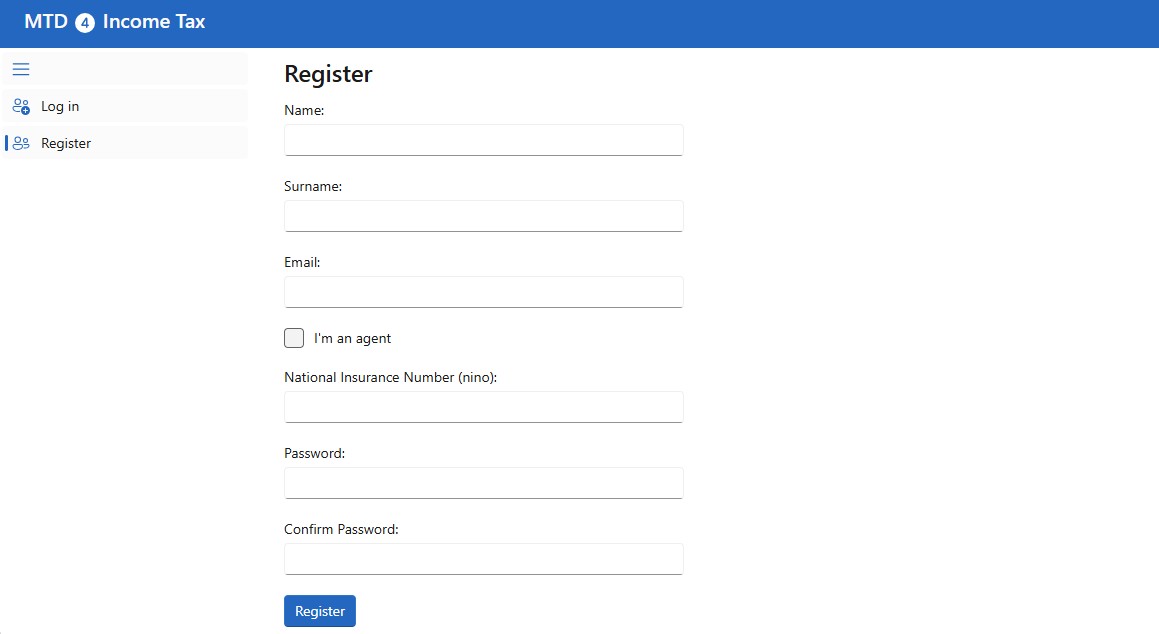
Get registered by inserting your Name, Surname, National Insurance Number, Email and Password. You can use this software and send a quarterly update for free for the first month, then it is £20 per year.
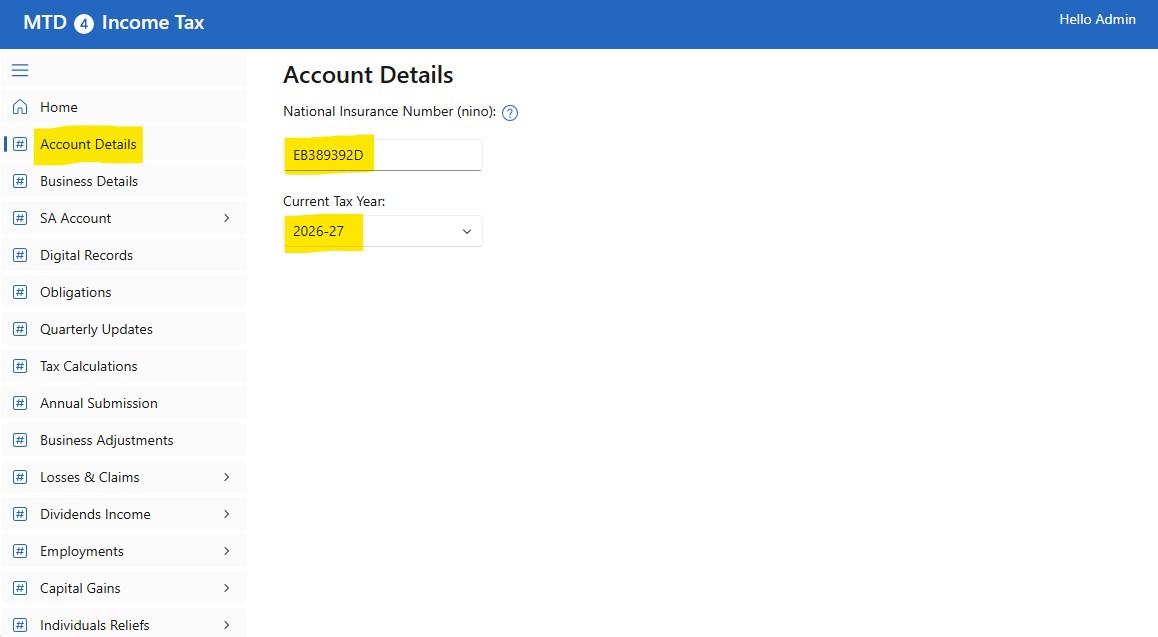
After the registration, login to the software. Go to the Account Details page, add your National Insurance Number and select the Current Tax Year:
Click on Business Details:
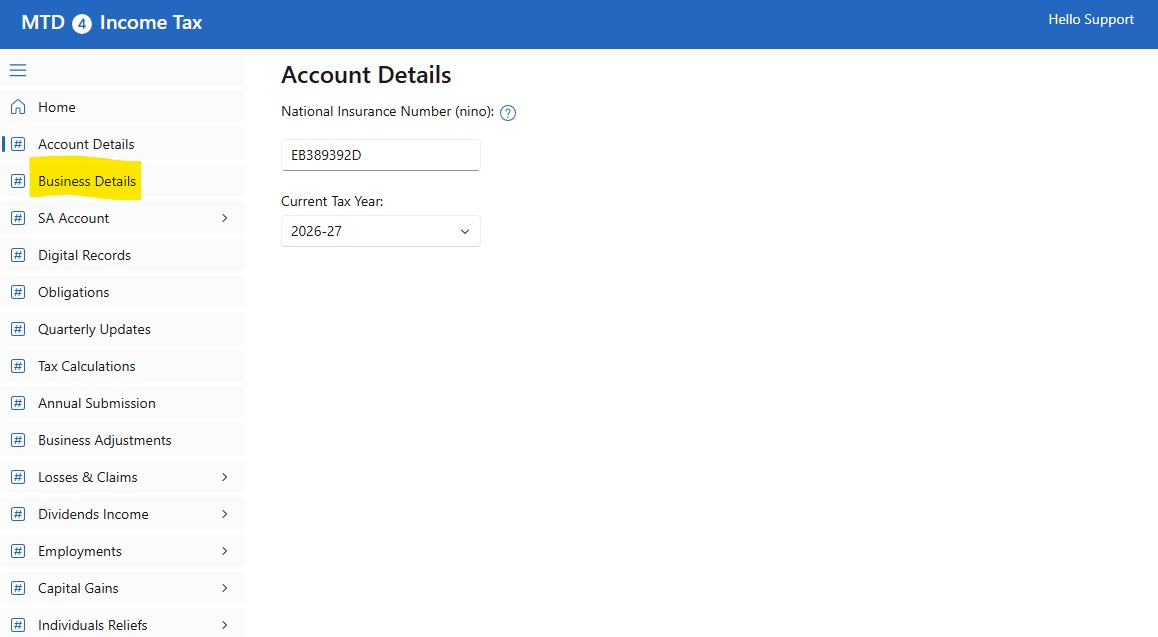
The first time you'll be redirected to the HMRC portal to give permission to the software to access your account, please note, the software does not collect any of your Personal or Financial Data. After you give the consent, HMRC will return a token which will be used by the software to access your account.
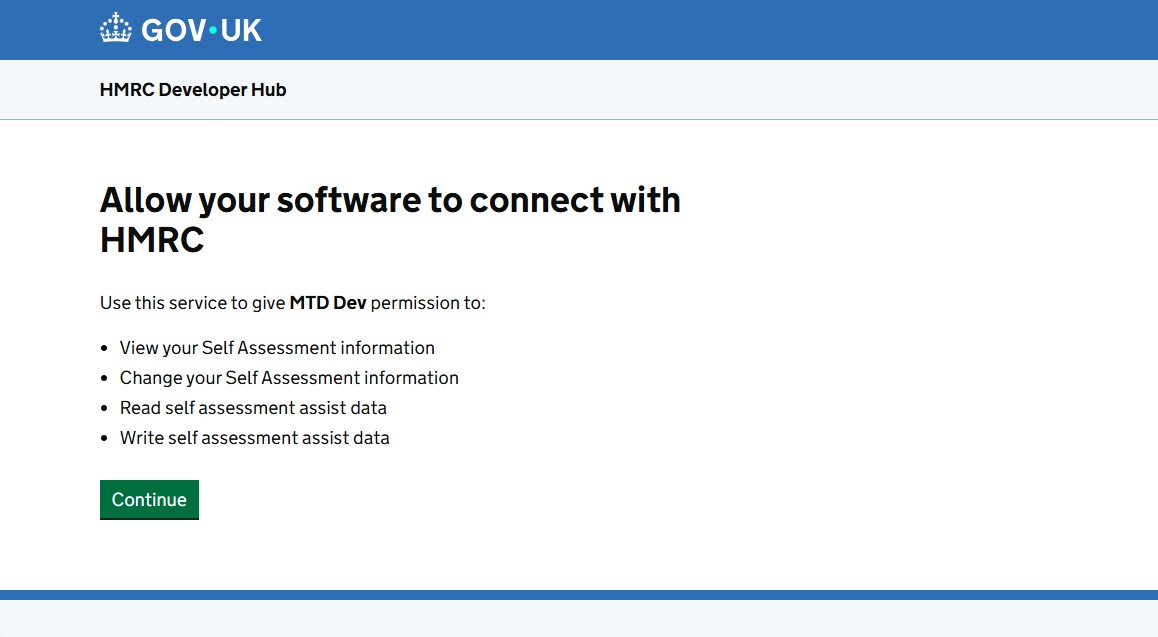
Go back to the Business Details page, you should see your Businesses. Please note, if you do not see your Businesses, normally, it is because you have not registered for MTD. To sign up for MTD click here
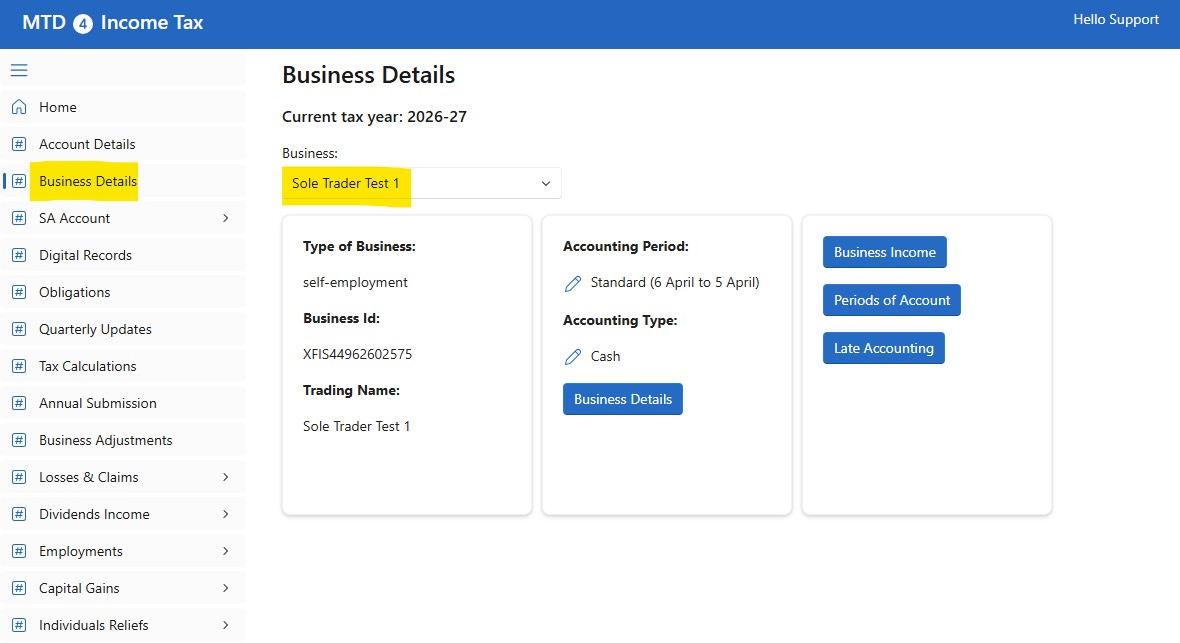
In the Business list, you can select a Business, you must do a Submission for each of your Businesses.
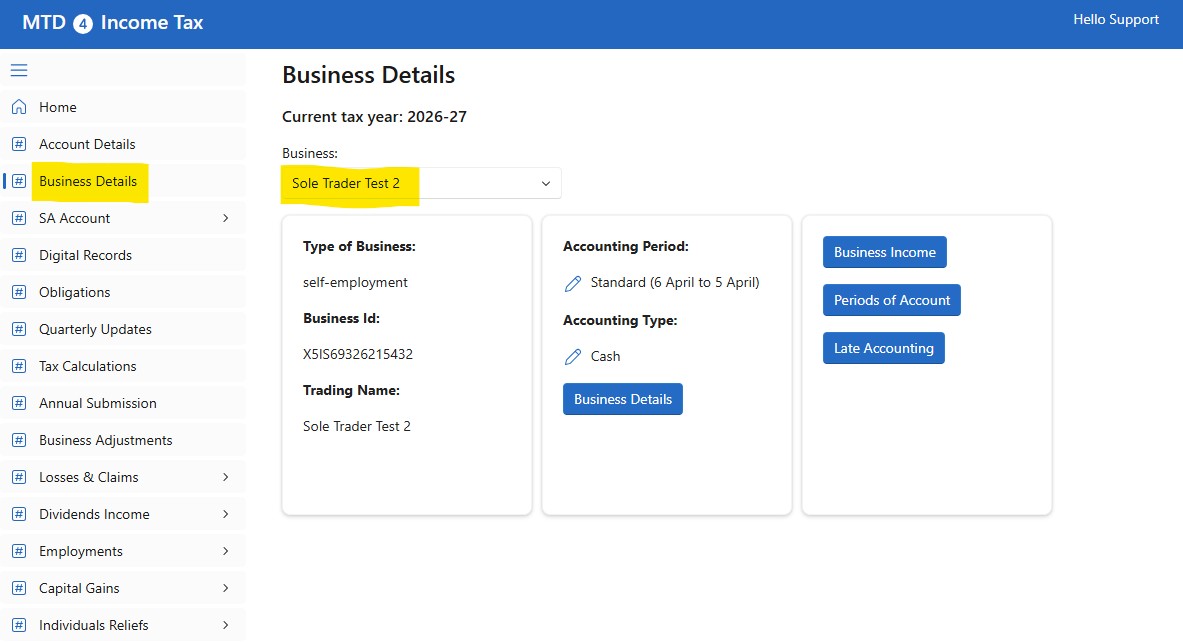
While, you only do one Submission for all your UK properties.
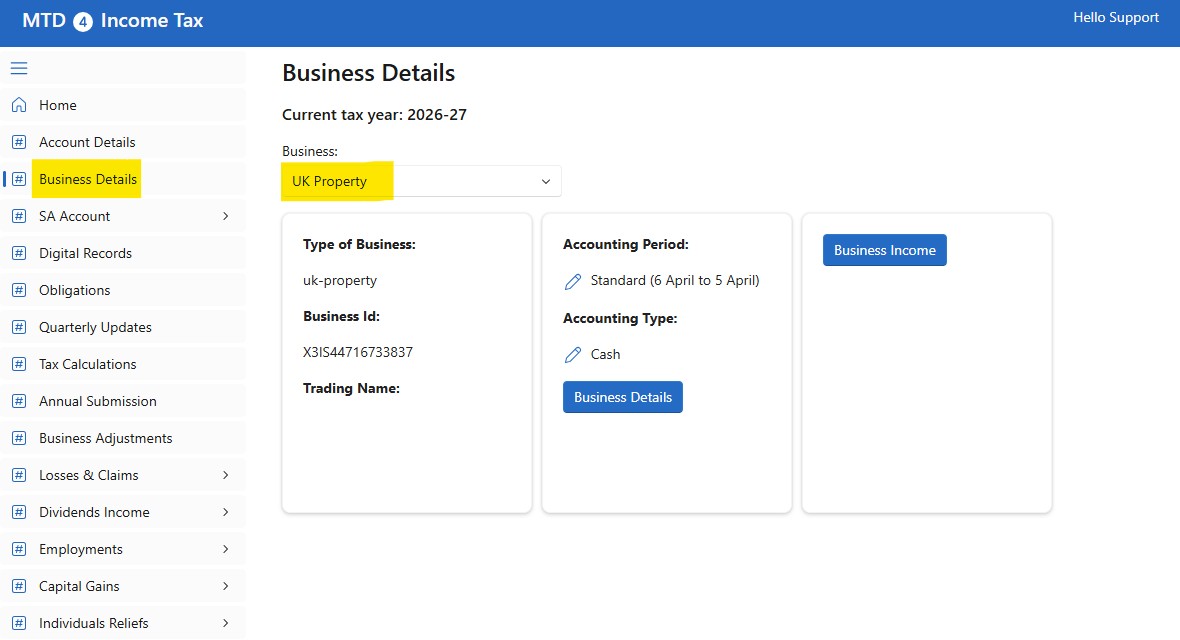
Go to the Quarterly Update page, select a Business from the list and click on the Submit Quarterly Update button:
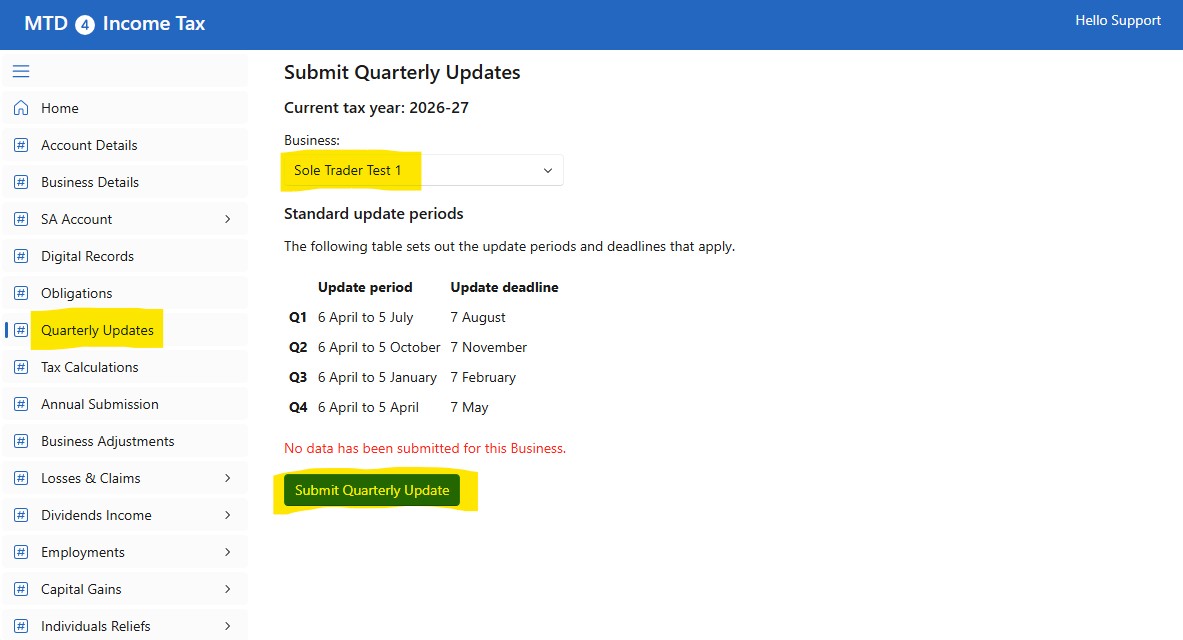
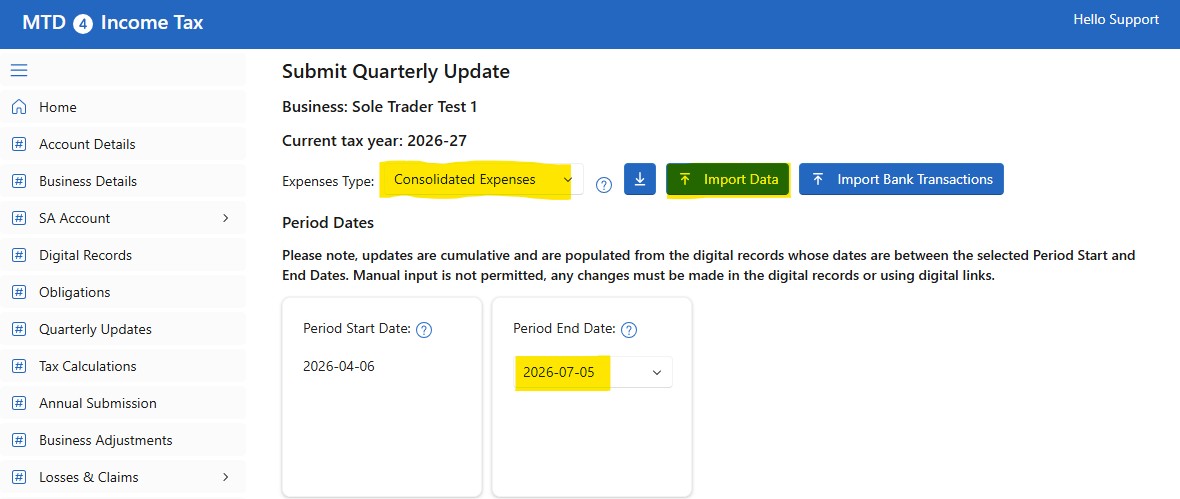
Make sure you select the Consolidated Expenses option and click on the Down Arrow button to download the Template
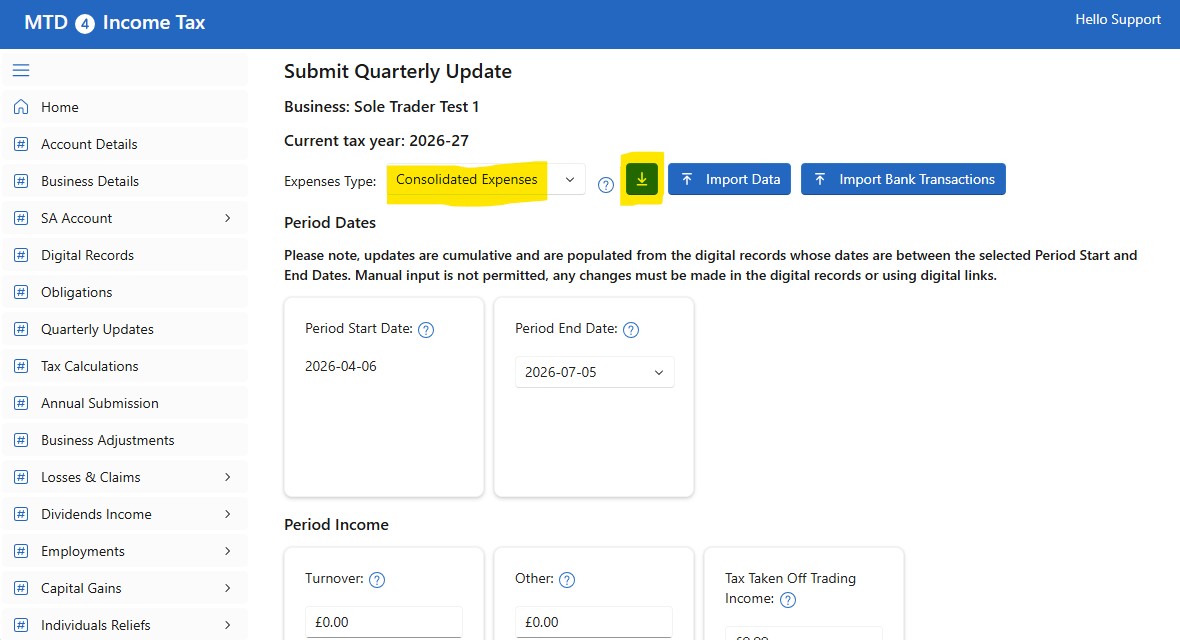
The Template is a spreadsheet that looks like this for Sole Traders (Self-Employment):
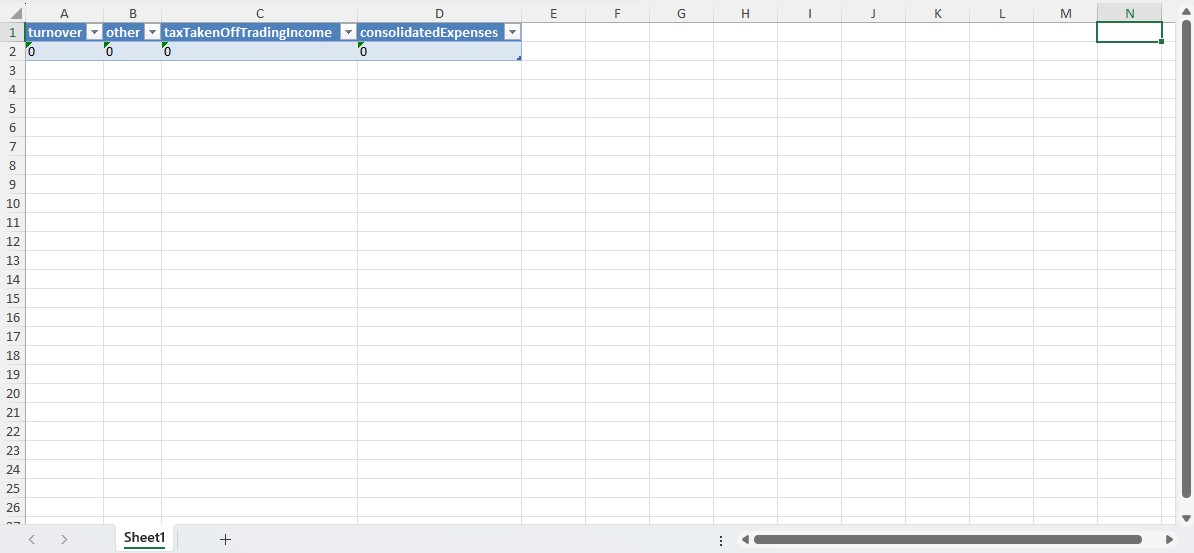
where:
- turnover: The takings, fees, sales or money earned by your business. Income associated with the running of the business. The value must be between 0 and 99999999999.99 up to 2 decimal places.
- other: Any other business income not included in turnover. Income associated with the running of the business. The value must be between 0 and 99999999999.99 up to 2 decimal places.
- taxTakenOffTradingIncome: Other tax taken off trading income apart from CIS deductions. The value must be between 0 and 99999999999.99 up to 2 decimal places.
- consolidatedExpenses: The sum of all allowable expenses for the specified period. The value must be between -99999999999.99 and 99999999999.99 up to 2 decimal places.
For Landlords (UK Property), the template looks like this:
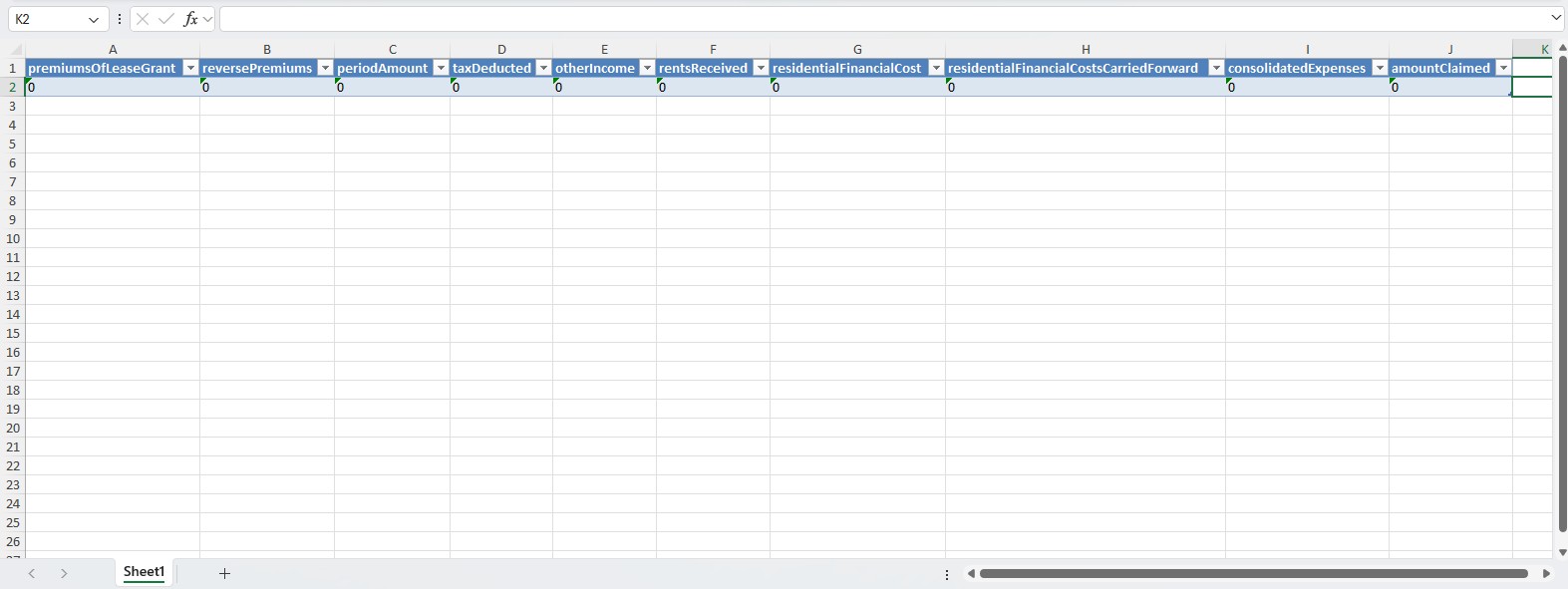
where:
- premiumsOfLeaseGrant: Premiums received for the grant of a lease and other lump sums to possess a property. The value must be between 0 and 99999999999.99 up to 2 decimal places.
- reversePremiums: Amount paid by a landlord or outgoing tenant to induce a new tenant to enter into a leasehold agreement. The value must be between 0 and 99999999999.99 up to 2 decimal places.
- periodAmount: Total rents from property (but not ground rents, rent charges and rent-a-room rental income). The value must be between 0 and 99999999999.99 up to 2 decimal places.
- taxDeducted: Tax already deducted from the rental income. The value must be between 0 and 99999999999.99 up to 2 decimal places.
- otherIncome: Total amount of rent and any income for services provided to tenants. The value must be between 0 and 99999999999.99 up to 2 decimal places.
- rentsReceived: Total rents received from rent-a-room. The value must be between 0 and 99999999999.99 up to 2 decimal places.
- residentialFinancialCost: The residential financial cost deductible from rental income (tax relief). The value must be between 0 and 99999999999.99 up to 2 decimal places.
- residentialFinancialCostsCarriedForward: Amount of residential financial costs carried forward. The value must be between 0 and 99999999999.99 up to 2 decimal places.
- consolidatedExpenses: The sum of all allowable expenses for the specified period. Can be submitted with residentialFinancialCost, residentialFinancialCostsCarriedForward and rentARoom for tax year 2025-26. The value must be between -99999999999.99 and 99999999999.99 up to 2 decimal places.
- amountClaimed: The amount of UK Furnished Holiday Lettings rent claimed for rent-a-room. The value must be between 0 and 99999999999.99 up to 2 decimal places.
For Sole Traders, let's assume your spreadsheet has a two sheets, one for Income and one for the Expenses. In the template, in cell A2, type =Sum(
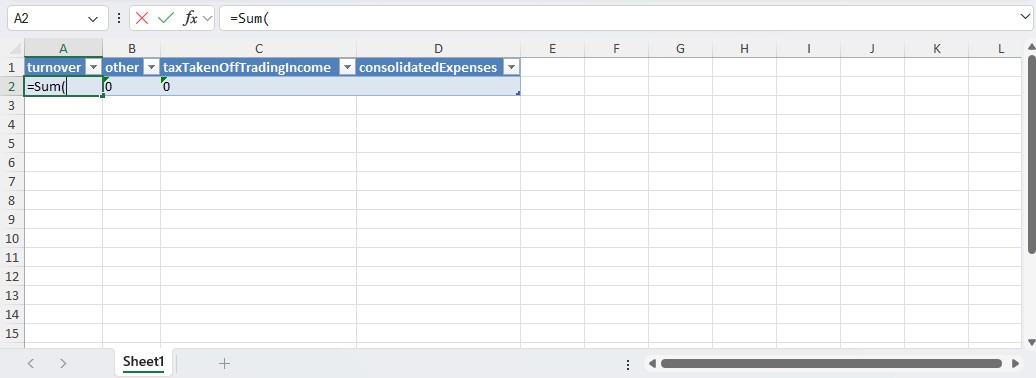
then open your Spreadsheet and in the Income sheet, select the cells for income you want to submit:
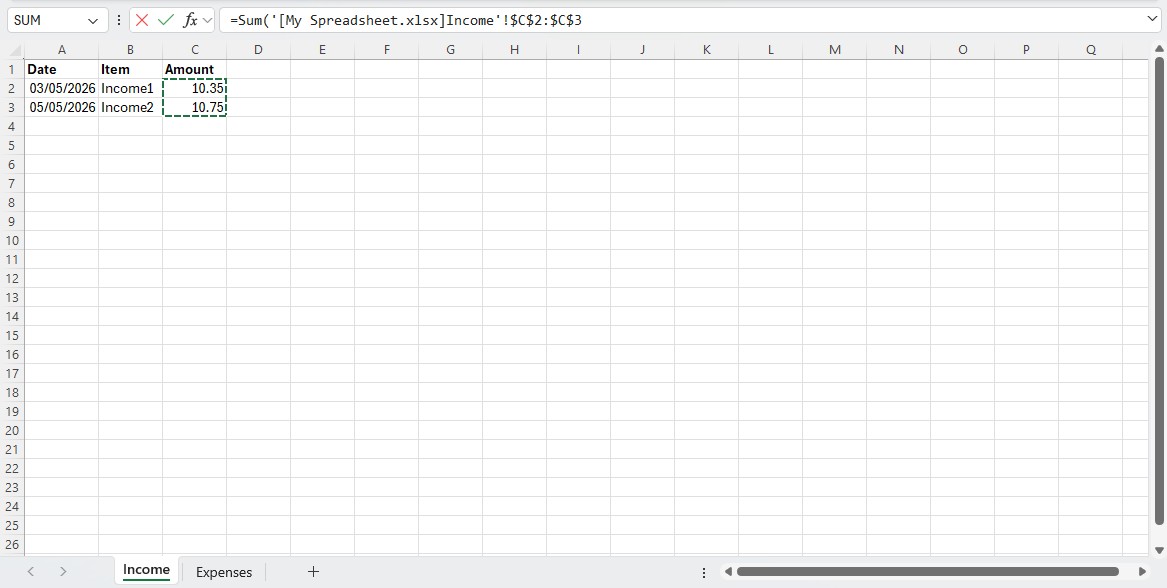
then go back to the template and in the A2 cell, type )
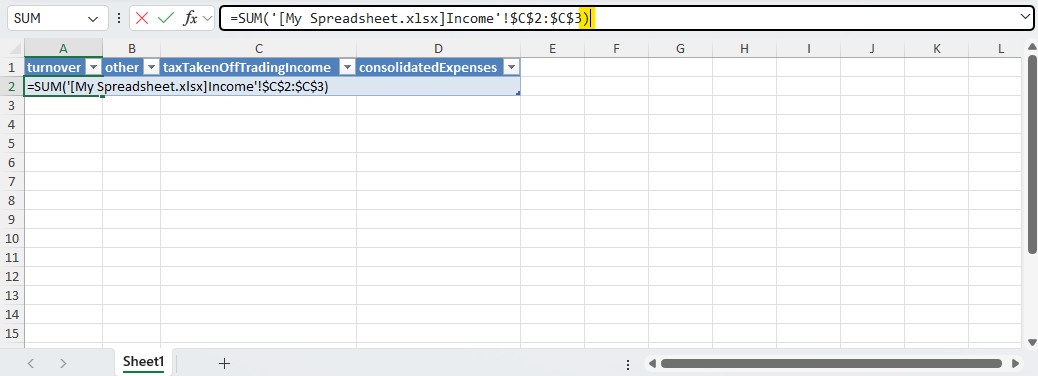
This creates a digital link to get the total income. Do the same for the expenses
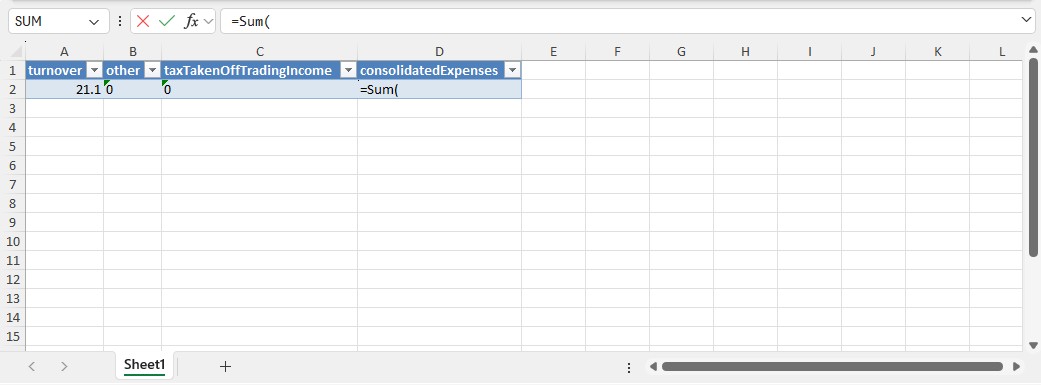
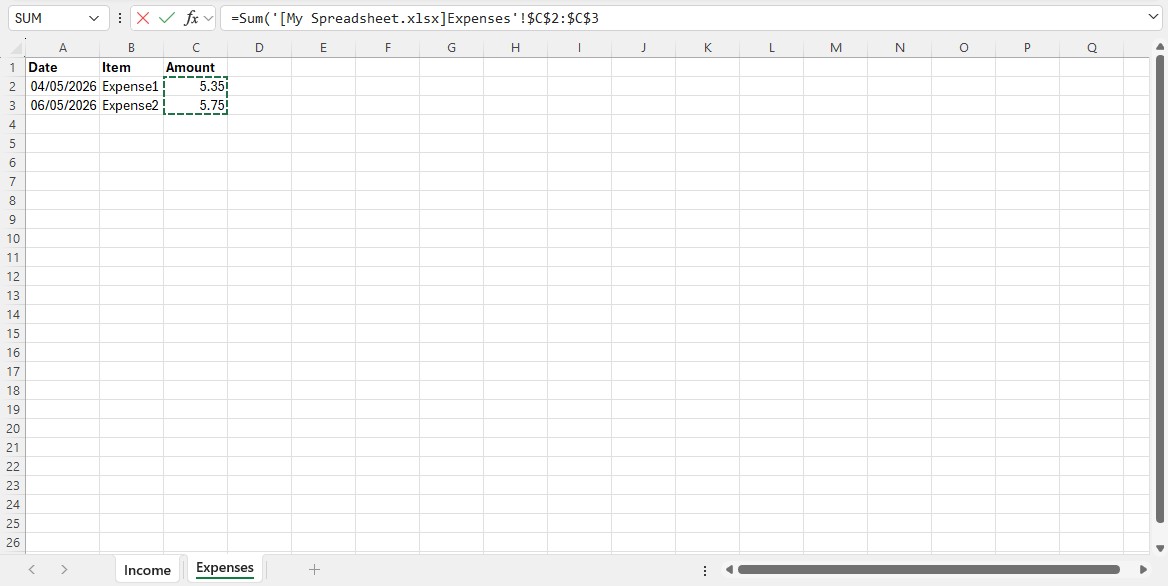
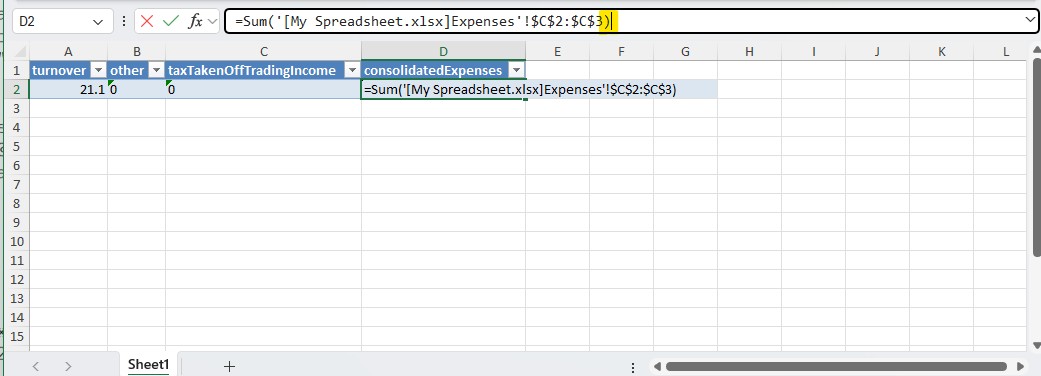
The Template is ready to be Uploaded.
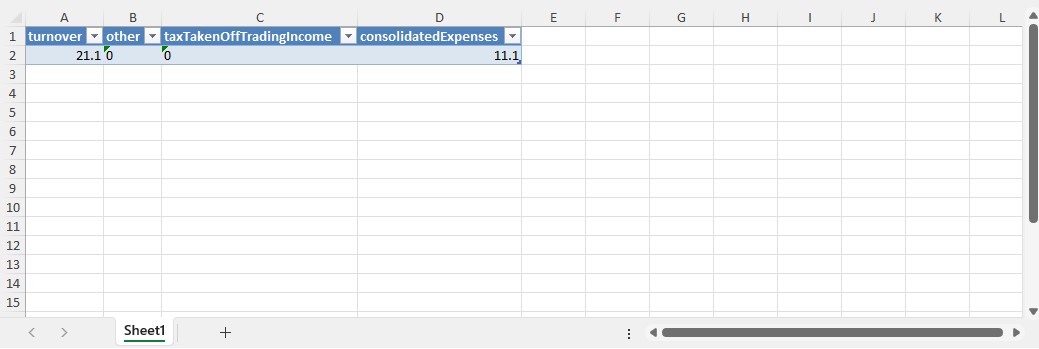
Click on the Import Data button and select the template you have just set up.
Make sure you have selected the right End Date and the numbers are as you expected. If, so, click on the Submit button
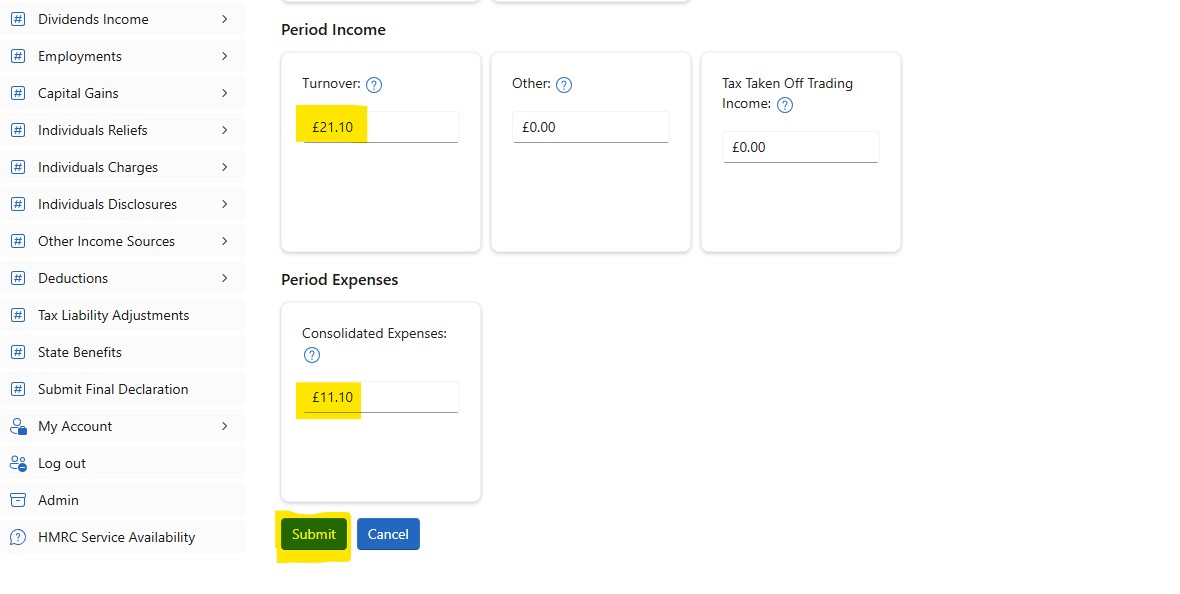
The Submission for Sole Trader Test 1 is complete.
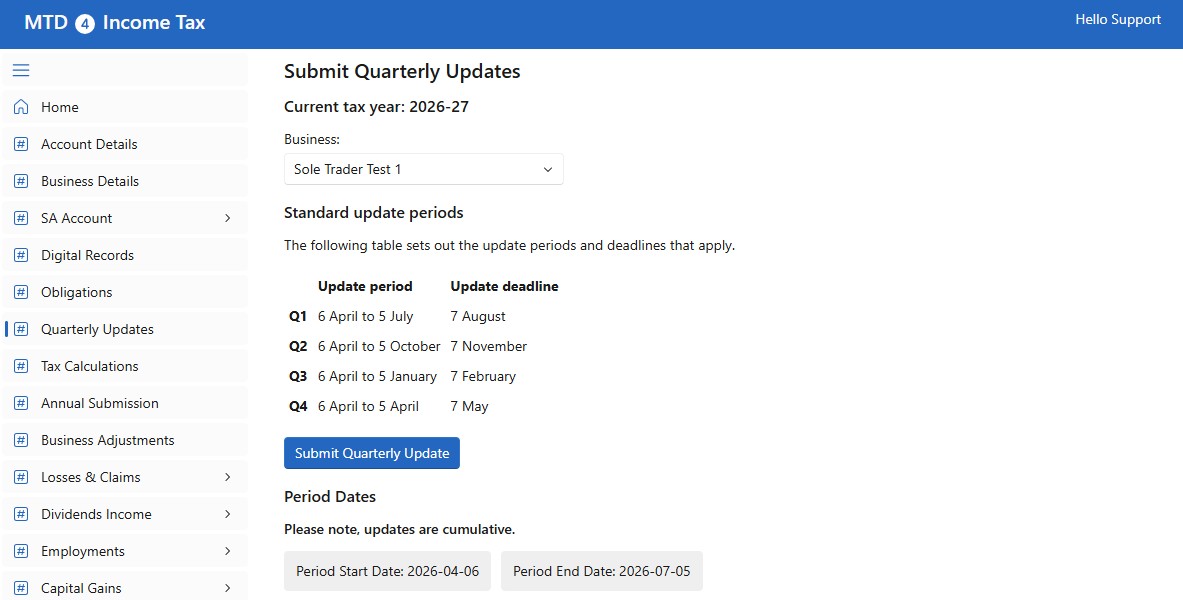
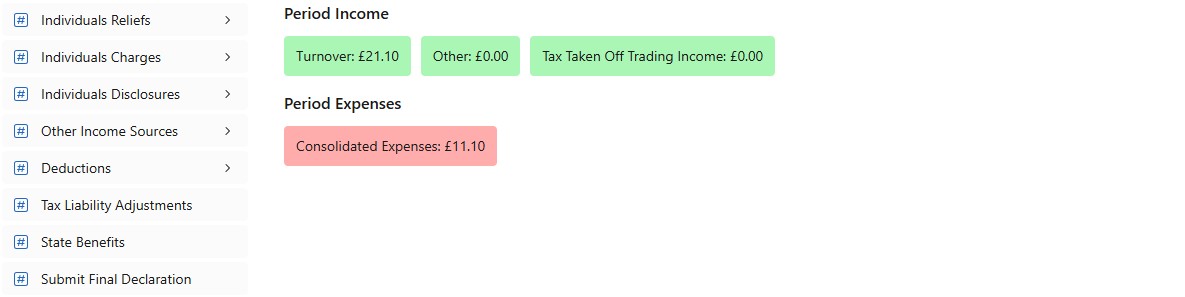
Do the same for Sole Trader Test 2.